When you are trying to solve a business challenge, the hardest part isn’t finding more information. It’s finding the right information, understanding what applies to your role, and knowing what to do next. That is where the TSIA Portal comes in.
The TSIA Portal is designed to give you one place to access TSIA research, AI-powered guidance, benchmarking tools, and member resources. Instead of jumping between reports, tools, and support channels, you can use the TSIA Portal to explore research, ask better questions, benchmark your organization, and connect your work to real business priorities.
Whether you are a new user trying to understand what is available or a member looking to get more value from your subscription, this walkthrough will help you understand what the TSIA Portal is, how it works, and how to use its key features more effectively.
Key Takeaways
- The TSIA Portal is more than a research library. It is a working environment where you can search, benchmark, ask AI-powered questions, and organize around key business initiatives.
- Features like TSIA Intelligence, Initiatives, and Performance Optimizer help you move from finding information to applying it practically.
- Both free users and members can access the Portal, but membership unlocks deeper research access, more advanced AI capabilities, expanded benchmarking, and Expert Inquiry.
The TSIA Portal Is Built To Help You Find Answers Faster
At a high level, the TSIA Portal is the digital home for TSIA research and tools. It gives you access to research publications, frameworks, webinars, conference sessions, AI-powered search, benchmarking, and guided ways to connect those resources to the business outcomes you care about most.
That matters because most teams are not struggling with a lack of content. They are struggling with time, focus, and execution. You may know the general area you want to improve, but still need help answering questions like:
- Where should I start?
- What research applies to my role or function?
- How do I compare to peers?
- What should my team actually do next?
The TSIA Portal is designed to help answer those questions in a more direct, usable way.
What You Can Do Inside the TSIA Portal
The easiest way to think about the TSIA Portal is as a connected experience with several layers of value.
You can use it to:
- Search and browse TSIA research.
- Get personalized recommendations based on your interests and activity.
- Chat with TSIA Intelligence to ask questions and get faster answers.
- Keep your team aligned on what's important with Initiatives.
- Benchmark your organization with Performance Optimizer.
- Access expert support through Expert Inquiries, advisory offers, and member resources.
This is what makes the TSIA Portal different from a static content hub. It is designed to help you not only discover information, but also apply it.
Start With Research, Search, and Personalized Recommendations
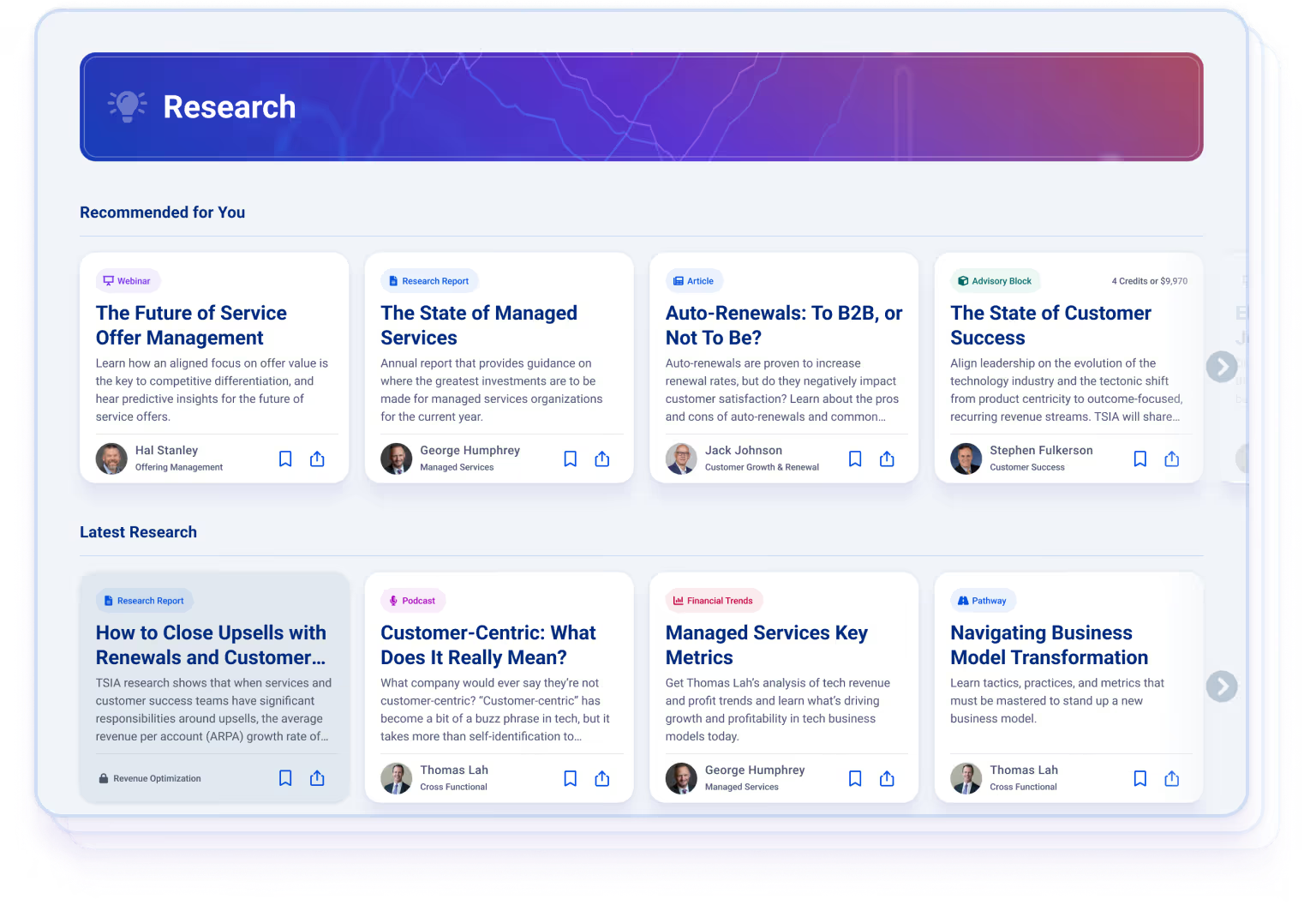
For many users, the first interaction with the TSIA Portal is through search or content browsing. The TSIA Portal allows you to explore reports, frameworks, articles, podcasts, webinars, survey insights, conference sessions, and other research assets. Search is AI-powered, which means it is built to understand the meaning behind your question rather than only matching keywords. In practice, that helps you get more relevant results when you ask a fuller, more natural-language question.
You can also refine results using filters such as:
- Research Area.
- Content Type.
- Release Date.
- Access.
- Upcoming content.
- Available to Me.
That last filter is especially useful if you want to see only content within your current access level. The experience also becomes more personalized over time. During onboarding, users select interests that help shape recommendations. The TSIA Portal then uses those interests, along with the content you engage with and the challenges you follow, to recommend additional research that is relevant to your priorities.
TSIA Intelligence Adds an AI Layer to the TSIA Portal Experience
One of the most important parts of the TSIA Portal is TSIA Intelligence, TSIA’s suite of AI-powered tools built to help you get more value from your research experience. TSIA Intelligence brings together advanced AI capabilities, TSIA’s proprietary research, and strong data security so you can ask questions, summarize content, and explore insights more efficiently. Today, TSIA Intelligence includes several capabilities across the TSIA Portal experience.
AI-Powered Search
Search in the TSIA Portal is designed to understand more than simple keywords. It can interpret semantic phrasing and larger questions, helping you find results that better match your actual intent. That means you do not need to guess the exact title of a report or the precise phrase used in a framework. You can ask the question more naturally and get closer to the right answer faster.
AI Content Assistant
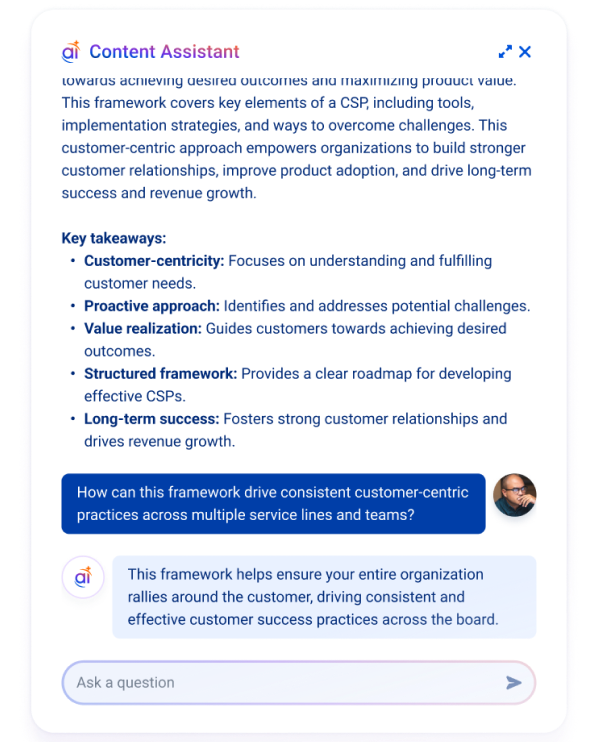
AI Content Assistant is available on many types of research content and gives you two core benefits: an instant summary of the content you are viewing and the ability to ask follow-up questions about that specific piece of content.
This is especially useful when you need to:
- Quickly understand a long report or webinar.
- Pull out the most relevant ideas for your role.
- Clarify a specific concept without leaving the page.
AI Content Assistant only references the content currently in front of you, which helps keep the answers focused and grounded in that source. Free users can access unlimited summaries and ask a limited number of questions. Members get unlimited access to both summaries and questions.
Related: Introducing TSIA Intelligence: Your AI Content Assistant
AI Inquiry
AI Inquiry expands the experience beyond a single report or asset. It allows you to ask broader questions across the TSIA content included in your subscription and get cited answers based on relevant sources.
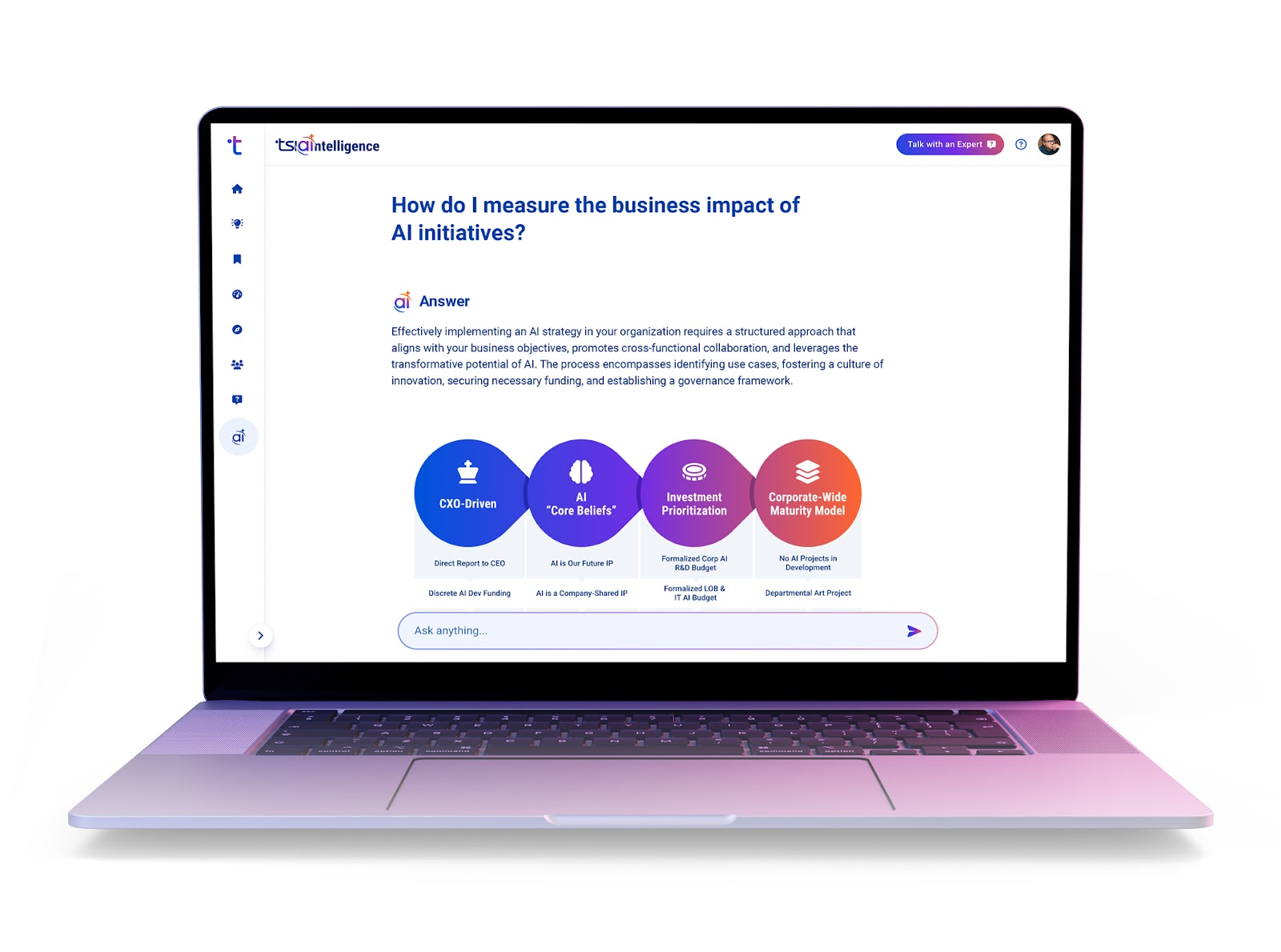
This is one of the fastest ways to make TSIA research more on-demand. Instead of manually searching through multiple publications, you can ask a direct question and receive an answer supported by source citations.
For members, AI Inquiry is unlimited. Free users can try it on a limited basis.
TSIA Intelligence for Microsoft Teams Extends Access Beyond the Portal
For teams that work heavily in collaboration tools, TSIA Intelligence is also available for Microsoft Teams. This allows users to bring TSIA Intelligence into a more day-to-day workflow, whether through a personal chat, a group chat, or a channel conversation. Your team can ask questions and get real-time answers with source support, all without switching contexts. This is especially helpful if your organization wants research access to show up closer to where internal conversations are already happening.
There are some differences between the Teams experience and the full TSIA Portal experience. For example, Teams does not offer the same depth as the TSIA Portal AI Inquiry experience and lacks features such as charts or conversation summaries. Still, it can be a useful way to make TSIA Intelligence more accessible across your team.
Related: Introducing TSIA Intelligence: AI Built for Tech Services
Initiatives Help You Connect Research to Real Business Work
If research helps you understand what matters, Initiatives help you organize around what you are actively trying to achieve. An Initiative in the TSIA Portal is a defined project tied to a measurable business result. It is not a vague area of interest or a broad aspiration. It is a focused effort with a clear goal, success metrics, and an expected business impact. That distinction matters. Many teams consume research without a clear mechanism for connecting it to execution. Initiatives are designed to solve that problem.
What Initiatives Are Meant To Do
Initiatives create a shared workspace around meaningful work your organization is already pursuing. These projects should be specific, measurable, achievable, relevant, and time-bound. In other words, they should reflect real priorities with clear outcomes attached. In the Initiatives workspace, your team can see open and closed initiatives, follow the work that matters to them, and access research and tools relevant to that specific effort.
How To Create an Initiative
Organization Owners, Organization Administrators, and Subscription Administrators can create a new Initiative by selecting “Add Initiative” in the workspace. They can either choose from suggested Initiatives or create one from scratch with a title and description. Once an Initiative is open, the detail view becomes the execution hub for that project.
From there, users can:
- Browse research mapped to the Initiative.
- Ask TSIA Intelligence questions tied to that Initiative.
- Start a new AI conversation grounded in relevant research.
- Book advisory sessions.
- Launch a benchmark.
- Submit an Expert Inquiry.
This is one of the strongest examples of how the TSIA Portal moves beyond content access. It gives you a way to organize people, tools, and insights around a specific business objective.
Why Initiatives Matter for Teams
Initiatives are useful because they help turn research consumption into coordinated action. Teams can follow Initiatives, receive related recommendations, and stay connected to the same goal. Initiative owners can also track activity related to that work through the Usage and Adoption page in Settings.
When an Initiative is complete, it can be closed and documented, including outcomes, performance improvements, and capabilities gained. That creates a record of the value created over time.
Performance Optimizer Helps You Benchmark and Prioritize Improvement
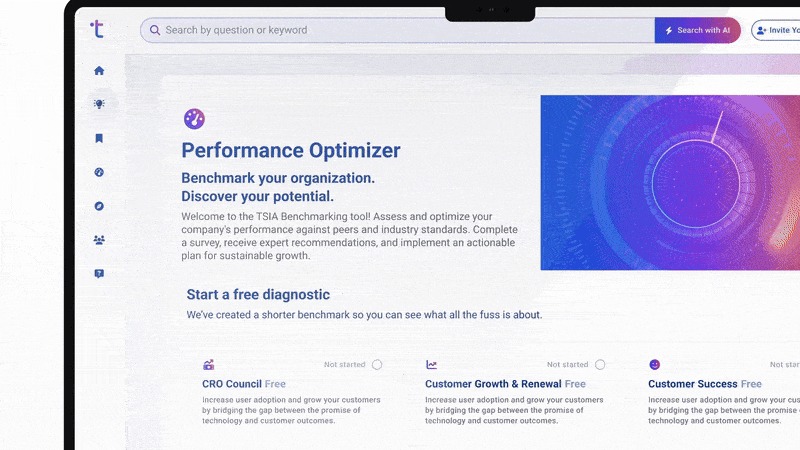
Another major part of the TSIA Portal is Performance Optimizer, TSIA’s benchmarking experience. Performance Optimizer helps you understand how your organization compares to industry peers and where you may want to focus improvement efforts. Depending on your access level, that can range from a lighter self-guided benchmark to a more robust member experience with expert analysis and recommendations.
What Performance Optimizer Does
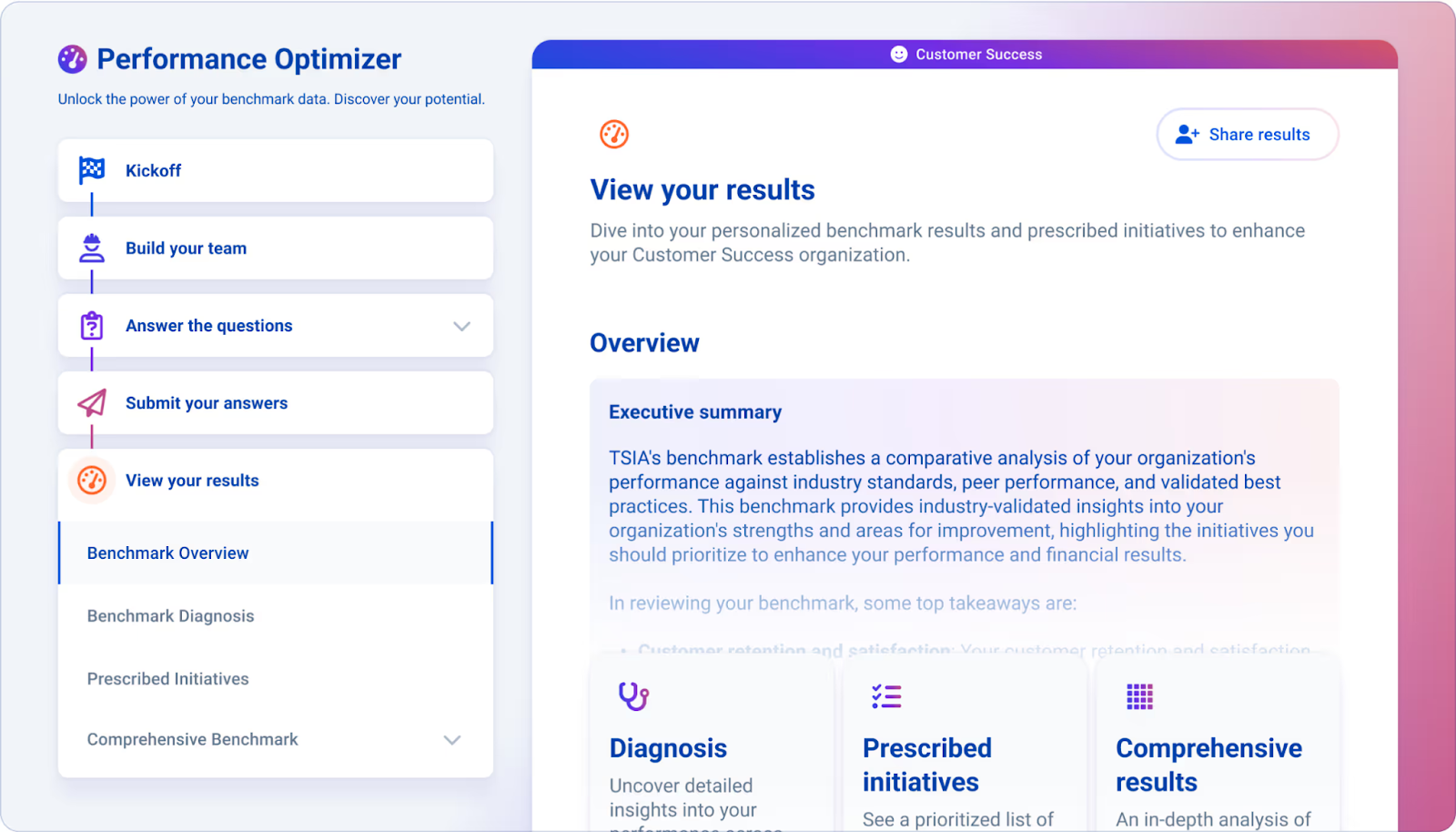
At its core, Performance Optimizer helps you identify strengths, weaknesses, and opportunities based on benchmark data. The goal is not just to show you where you stand. It is to help you prioritize how to address it. For members, this includes research, expert commentary, prescribed actions, and a more in-depth benchmark process. For free users, it includes an abridged benchmark experience with AI-generated results and recommendations.
The Free Performance Optimizer Experience
The free version lets users get started with benchmarking via a 10-question survey. After completion, users receive an executive summary and a set of prescribed actions from TSIA Intelligence based on their responses. This version is designed to provide a snapshot of performance and quickly highlight opportunities for improvement. It is a useful way to see the value of benchmarking without the depth of the full member experience.
The Member Performance Optimizer Experience
With membership, benchmarking becomes much more detailed. Members can complete a deeper survey, work with a benchmark team, receive expert analysis, and access a more tailored set of prescribed actions.
The process typically includes four phases:
- Initiate and Align: You define your objectives, organizational scope, geographic scope, and benchmark team.
- Gather and Input Data: Your team enters the relevant operational data into the TSIA Portal.
- Validate and Refine: TSIA data professionals review the information for completeness and accuracy.
- Assess and Plan: Results are made available in the TSIA Portal, and eligible members can receive a formal presentation with analysis and recommendations.
This deeper benchmarking process can take several weeks or a few months, depending on the speed of data collection and validation. Still, it also provides a much more complete picture of performance.
What Makes Benchmarking More Actionable in the Portal
The real value of Performance Optimizer is not just the scorecard. It is the prescribed initiatives, expert insights, and recommended next steps that come with the results. Once your benchmark is complete, you can focus on the areas TSIA identifies as most likely to improve performance.
You can also share results with internal stakeholders, and in some cases, export a PDF deliverable containing summaries, charts, prescriptions, and recommended research and advisory links. That makes Performance Optimizer one of the most practical tools in the TSIA Portal for turning operational data into focused action.
Related: Discover TSIA’s Performance Optimizer Benchmarking: Unlock Your Organization's Full Potential
Membership Access Shapes How Much of the Portal You Can Use
The TSIA Portal is available to both free users and members, but the depth of access varies by account type and subscription level. Free accounts allow users to explore the TSIA Portal, access certain content, create an account with a work email, and try selected AI and benchmarking capabilities. This lowers the barrier to entry and gives users a way to experience the platform before expanding their access.
Membership unlocks more of the full TSIA Portal experience, including:
- Full access to subscribed research areas.
- Unlimited TSIA Intelligence usage in key areas.
- Member support through a Member Success Manager.
- Performance Optimizer with deeper analysis.
- Inquiries and expert support.
- Advisory opportunities.
- Expanded organizational access and permissions.

The Portal Also Supports Team Access and Organization Management
The TSIA Portal is not designed only for individual use. It also supports teams and organizations through shared access, invite workflows, permissions, and subscription management.
Depending on the role, users may be able to:
- Adjust user roles and research area permissions.
- Manage organization details.
- Identify research area admins.
- Share benchmark results internally.
This makes the TSIA Portal more than a personal research environment. It can also serve as a shared platform for teams that want broader access to research, benchmarking, and AI-powered guidance.
Why the TSIA Portal Matters
The TSIA Portal matters because the pace of change is accelerating. Teams need faster access to better answers, but they also need help turning those answers into smarter decisions and measurable progress. That is what the TSIA Portal is built to support.
You can use it to search more intelligently, ask better questions, organize around what matters, benchmark your organization, and connect your team to the research and tools that support better execution. If you have only thought of the TSIA Portal as a place to read reports, it may be worth revisiting it. The value is not just in what the TSIA Portal contains. It is in how the TSIA Portal helps you work.
FAQs
What is the TSIA Portal used for?
The TSIA Portal provides access to TSIA research, AI-powered guidance, benchmarking tools, member resources, and team-based features that help you move from insight to action.
What is the difference between free access and TSIA membership in the TSIA Portal?
Free users can explore selected content and tools, including limited access to AI and benchmarking features. Members get deeper access to research areas, unlimited AI capabilities in key features, expert support, benchmarking analysis, and additional advisory resources.
What can you do with TSIA Intelligence in the Portal?
TSIA Intelligence supports AI-powered search, content summaries, question-answering on individual content pages, and broader AI Inquiry across TSIA content. It is designed to help you find answers faster and make research more usable.
Smart Tip: Embrace Data-Driven Decision Making
Making smart, informed decisions is more crucial than ever. Leveraging TSIA’s in-depth insights and data-driven frameworks can help you navigate industry shifts confidently. Remember, in a world driven by artificial intelligence and digital transformation, the key to sustained success lies in making strategic decisions informed by reliable data, ensuring your role as a leader in your industry.